Device check-in and check-out app
A kiosk app I built for the IT inventory room. It tracks devices in and out and exports the changes for bulk import into the asset management system, replacing manual asset updates.
Problem
Devices moved in and out of the IT inventory room, and each move had to be typed into the asset record by hand. Manual updates are slow and easy to get wrong, and records can drift from what is really on the shelf.
My role
I designed and built the app on my own initiative.
Tools
A React front end for the kiosk and admin screens, and a Node.js and Express backend that stores its data in local files. The admin side sits behind a login with tokens that expire. The whole app runs on the local machine and makes no outside network connections.
What I did
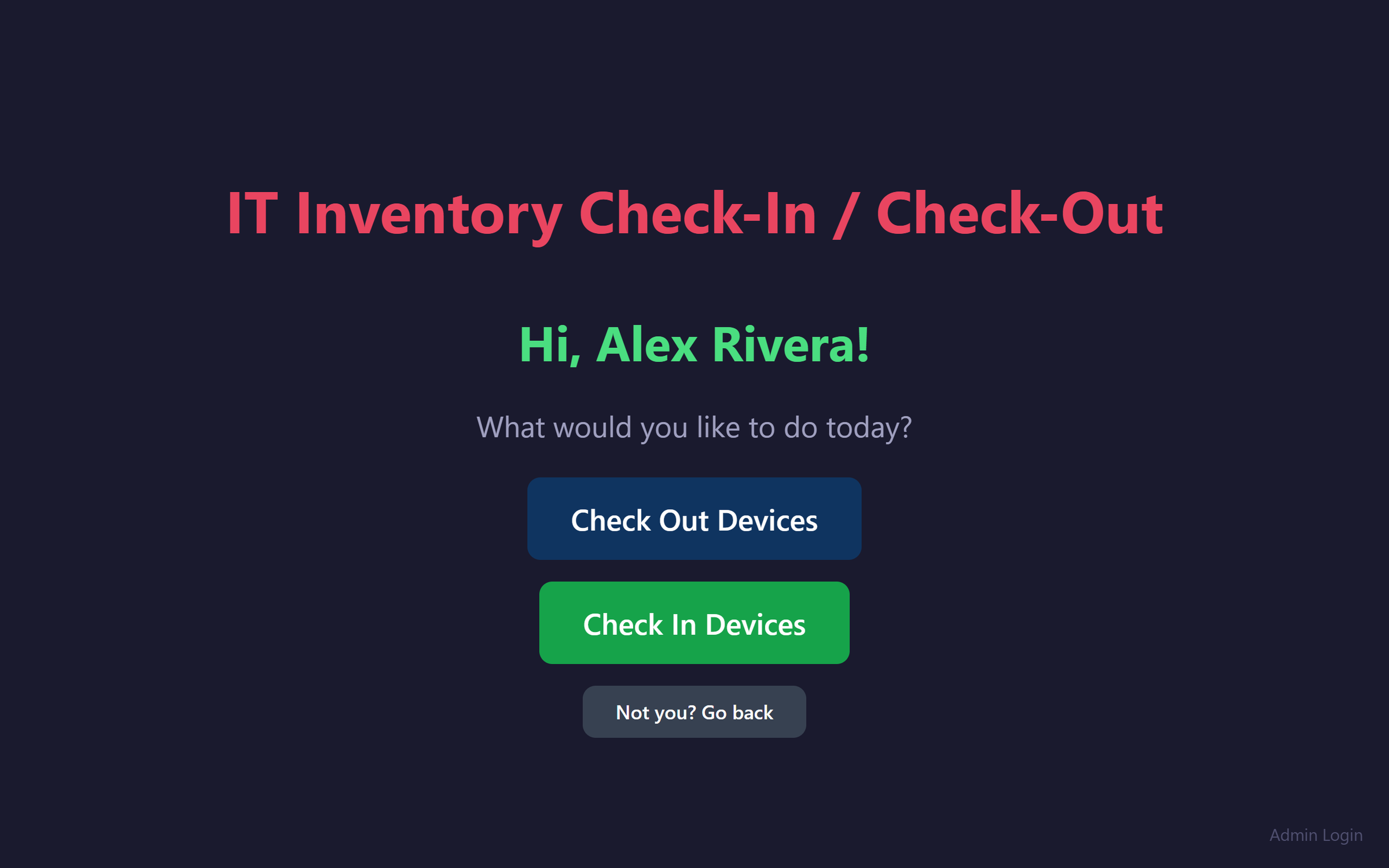
- Built a kiosk flow where a technician picks their name, then scans device tags one at a time or several in a row, with manual entry as the fallback.
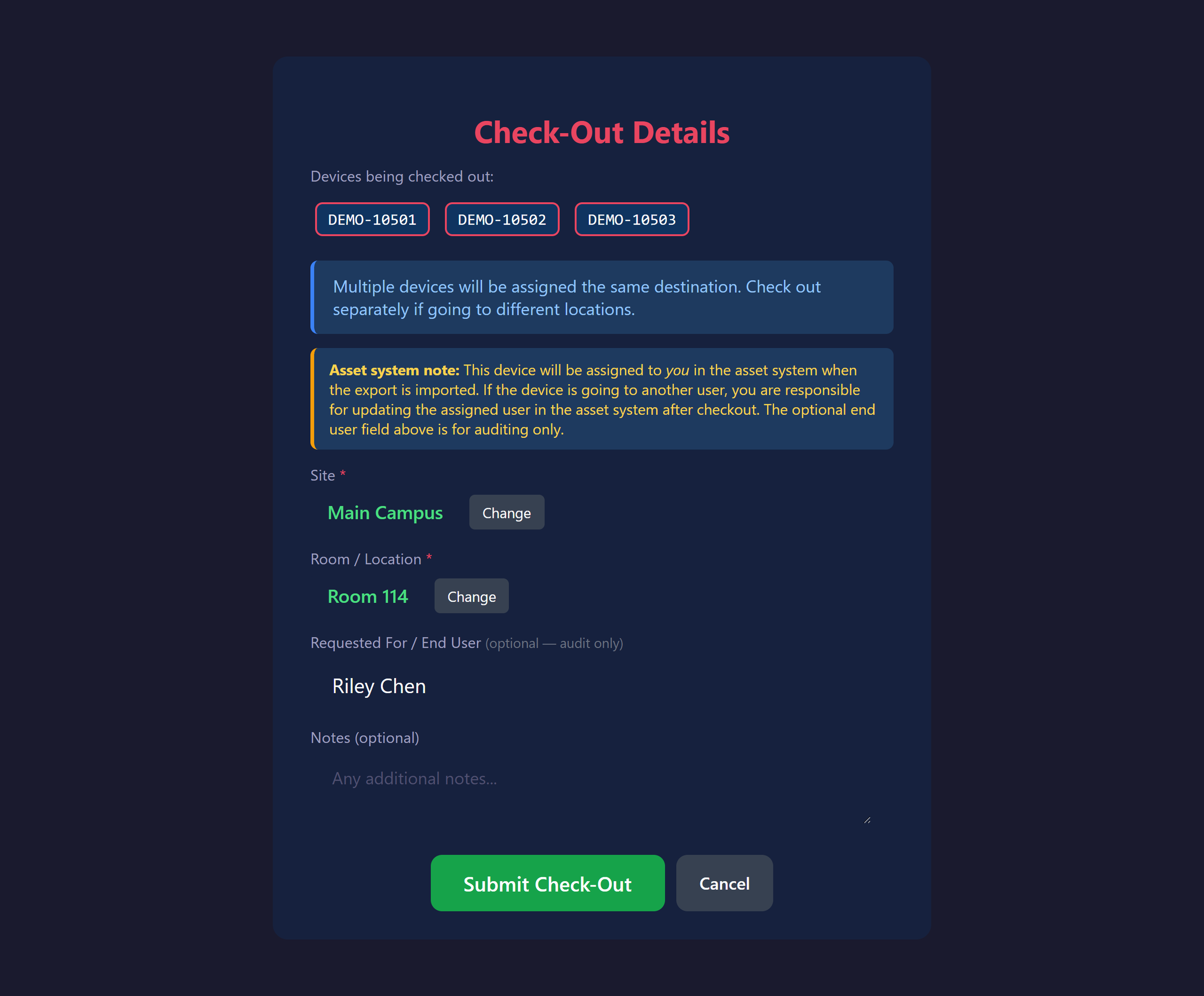
- Added a review step so tags can be fixed or removed before anything is saved.
- On check-out, the technician picks the destination site and room from a searchable list. On check-in, devices go back to the inventory room.
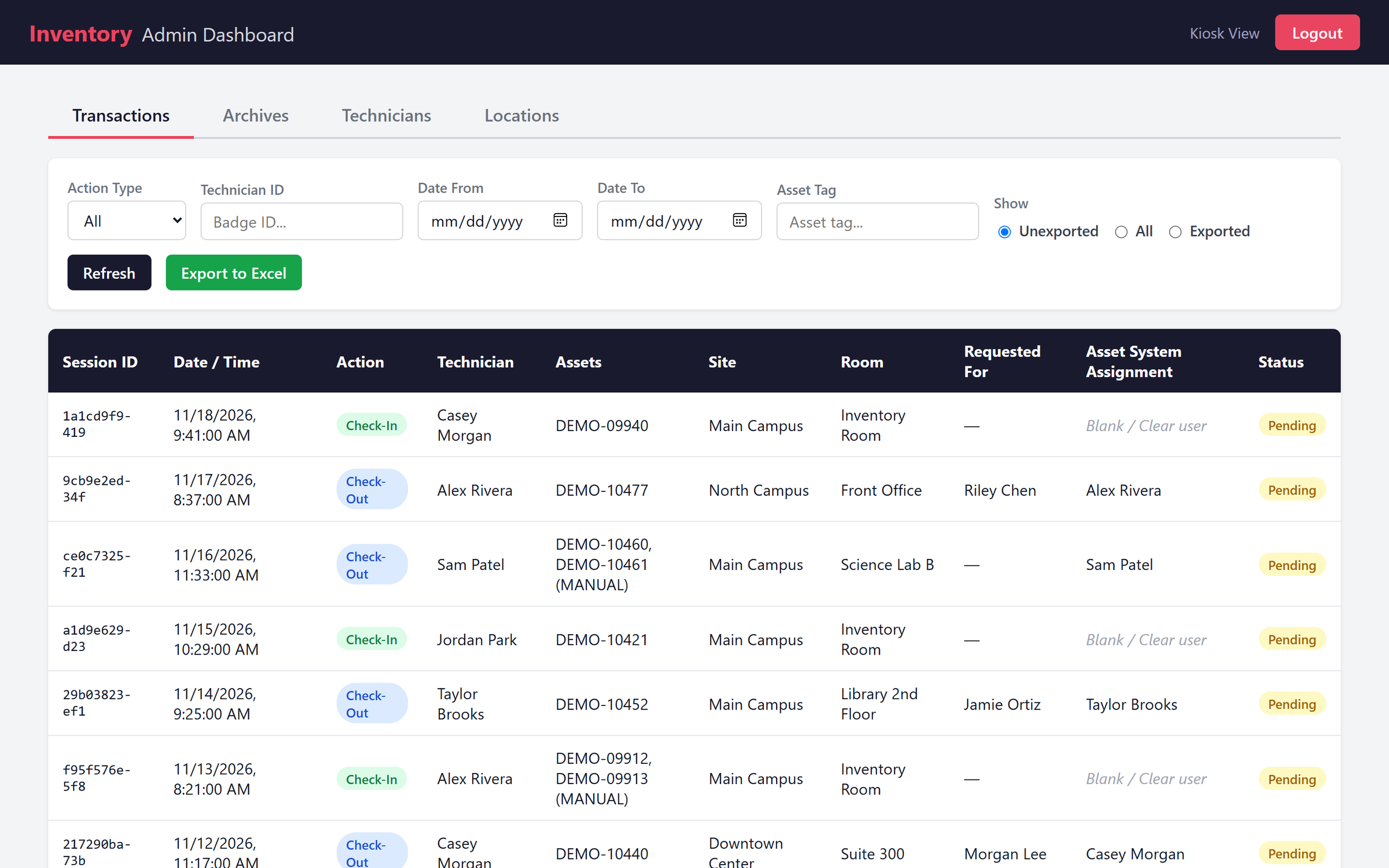
- Recorded every check-in and check-out, so each device has a history that can be audited.
- Built an admin dashboard behind a login. Admins filter the log by action, technician, date, or asset tag, import locations from a spreadsheet or CSV file, and add or edit technicians.
- Added an Excel export with columns laid out for bulk import into the asset management system. Each export is archived and can be downloaded again.